 Critter VTT
 Critter Sounds
Your campaign, planned and ready to run.
A notebook for game masters. Plan sessions, write the world, draw maps, boards and mind maps, and bring it all to your Critter VTT table when you play.
Free and open source. Windows 10 and 11, or any modern browser. Your campaigns stay on your own devices.
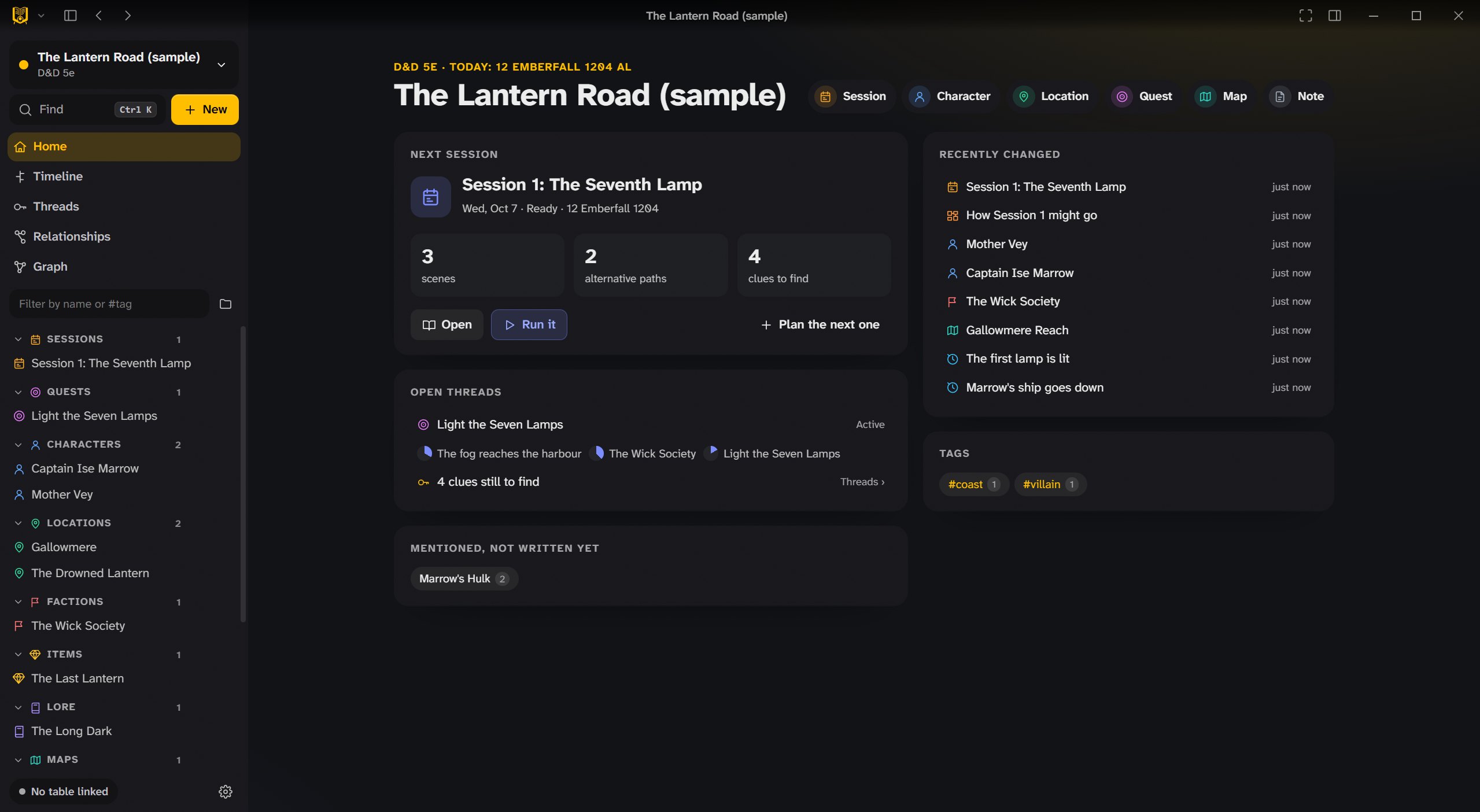
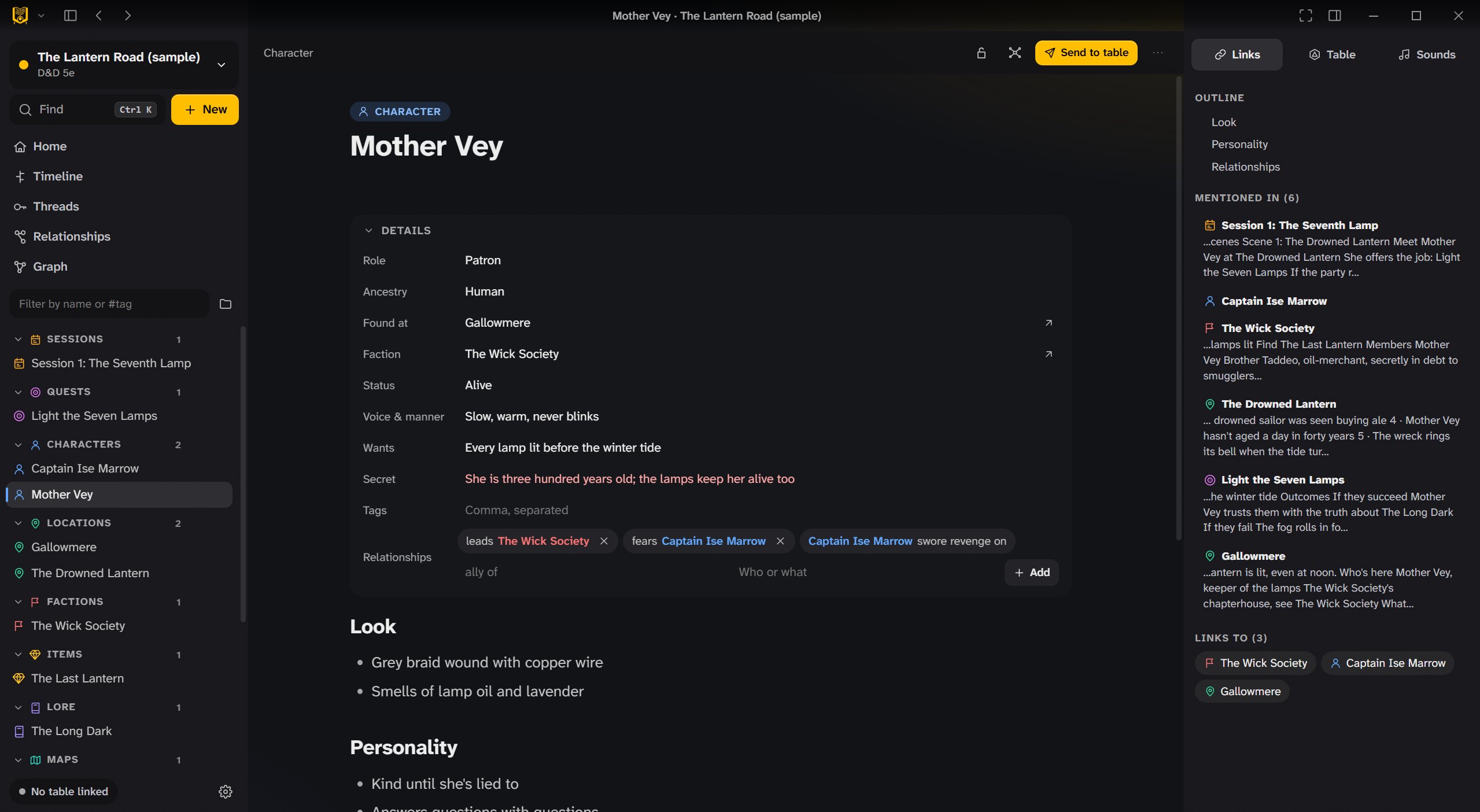
A page for everything in your world.
Characters, locations, factions, quests, items, lore and events, each with its own fields, written in a visual editor and linked to each other as you type.
- Details for each kind of page: a character’s wants and secret, a location’s ruler, a quest’s steps.
- Links both ways: every page shows where it’s mentioned, and new names are suggested as you write.
- Relationships like “leads”, “fears” or “swore revenge on”, drawn as a graph.
- The rules from the same compendium as Critter VTT, linked into your pages.
Draw it, pin it, plan it.
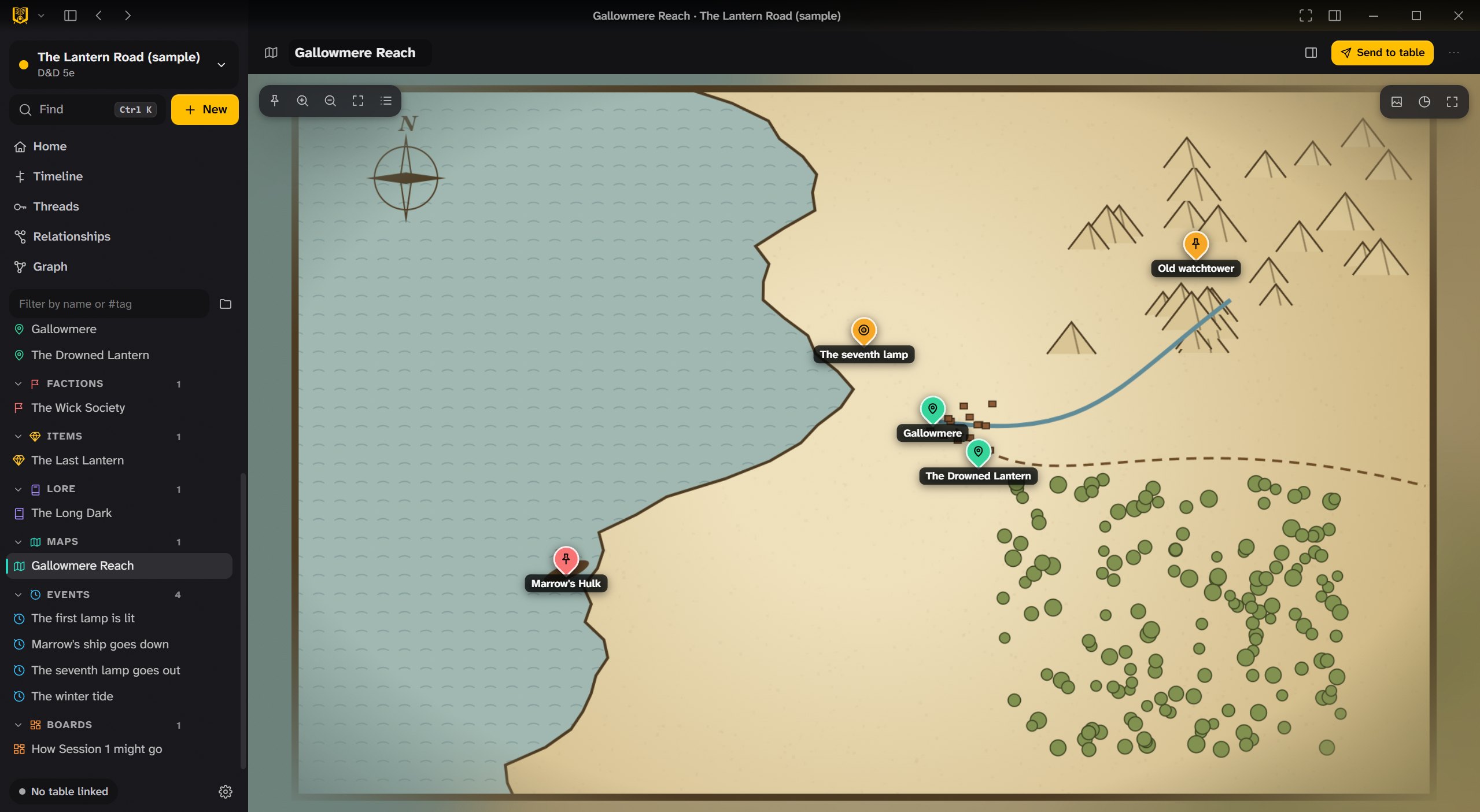
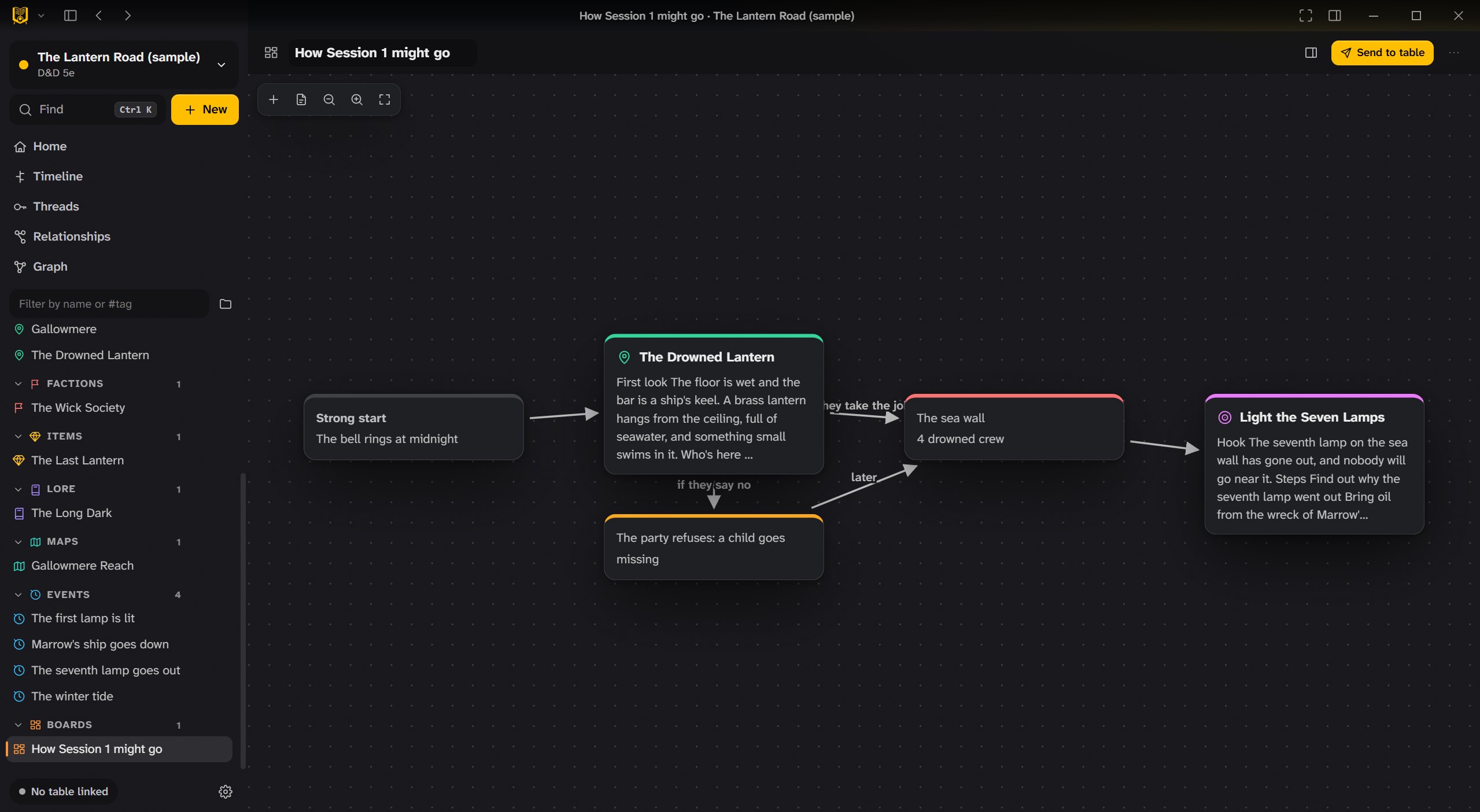
Maps with pins for every place, boards for planning how a session might go, and mind maps for untangling a plot.
- Maps with pins that open their pages, and a scale.
- Boards for scenes and branches: what happens if they say yes, and if they say no.
- Timeline and calendar in your world’s own dates, with progress clocks.
- Threads and clues so you know what’s still open and what the party hasn’t found.
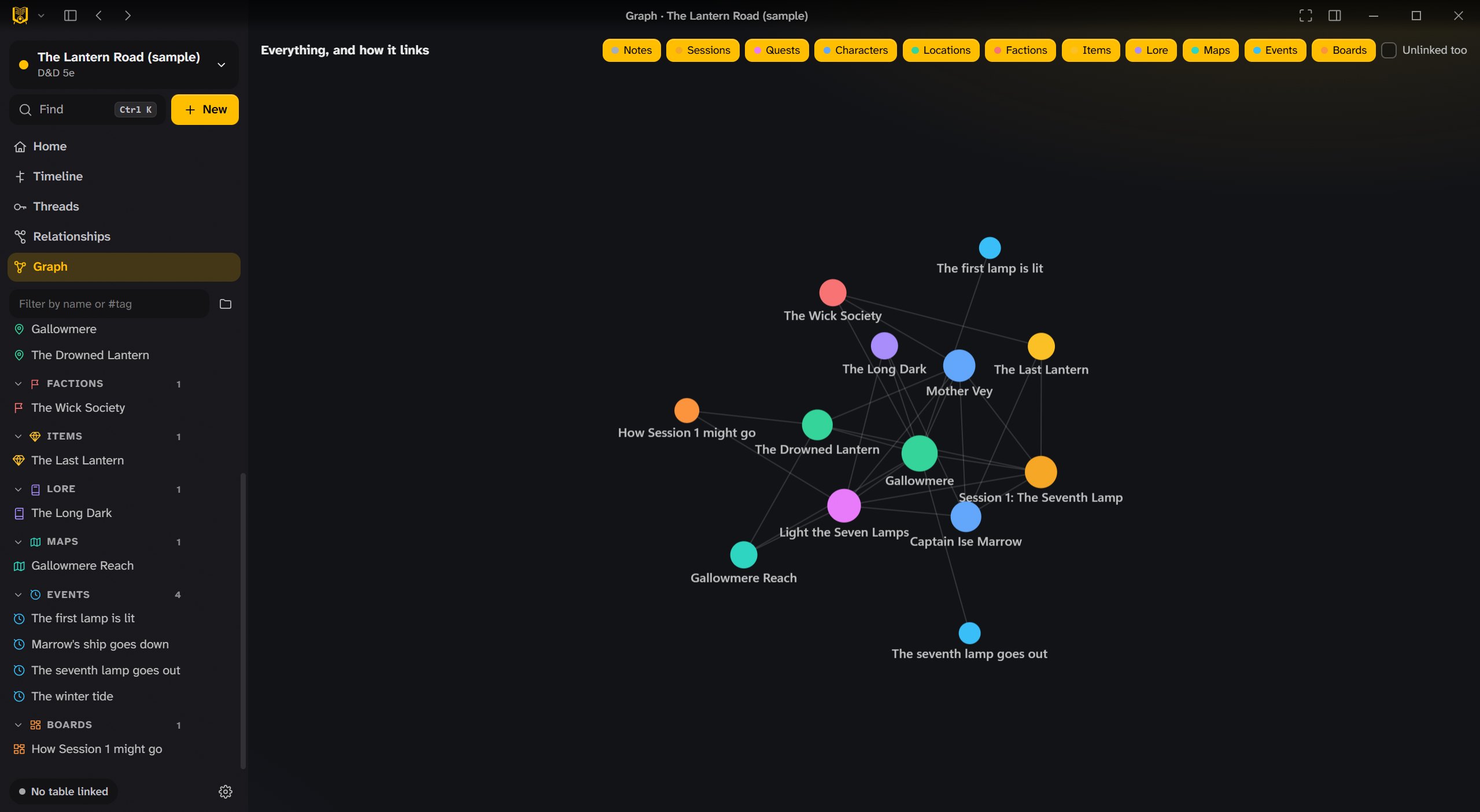
See how it all connects.
The graph shows every page and every link, coloured by kind. Filter it to the factions, or the people, and spot the threads you haven’t pulled yet.
- A graph of everything, or only what you pick.
- Home shows the next session, open threads, recent changes, and names mentioned but not written yet.
- Find anything with Ctrl+K.
From your notes to the table.
Link a campaign to your Critter VTT lobby, and send what you’ve prepared at the moment it matters.
- Send to the table notes, handouts, character and monster sheets, and scenes.
- Run a session with your plan beside you.
- Cue the music in Critter Sounds from your scene notes.
- Share with co-writers (encrypted), and give players their own view without your secrets.
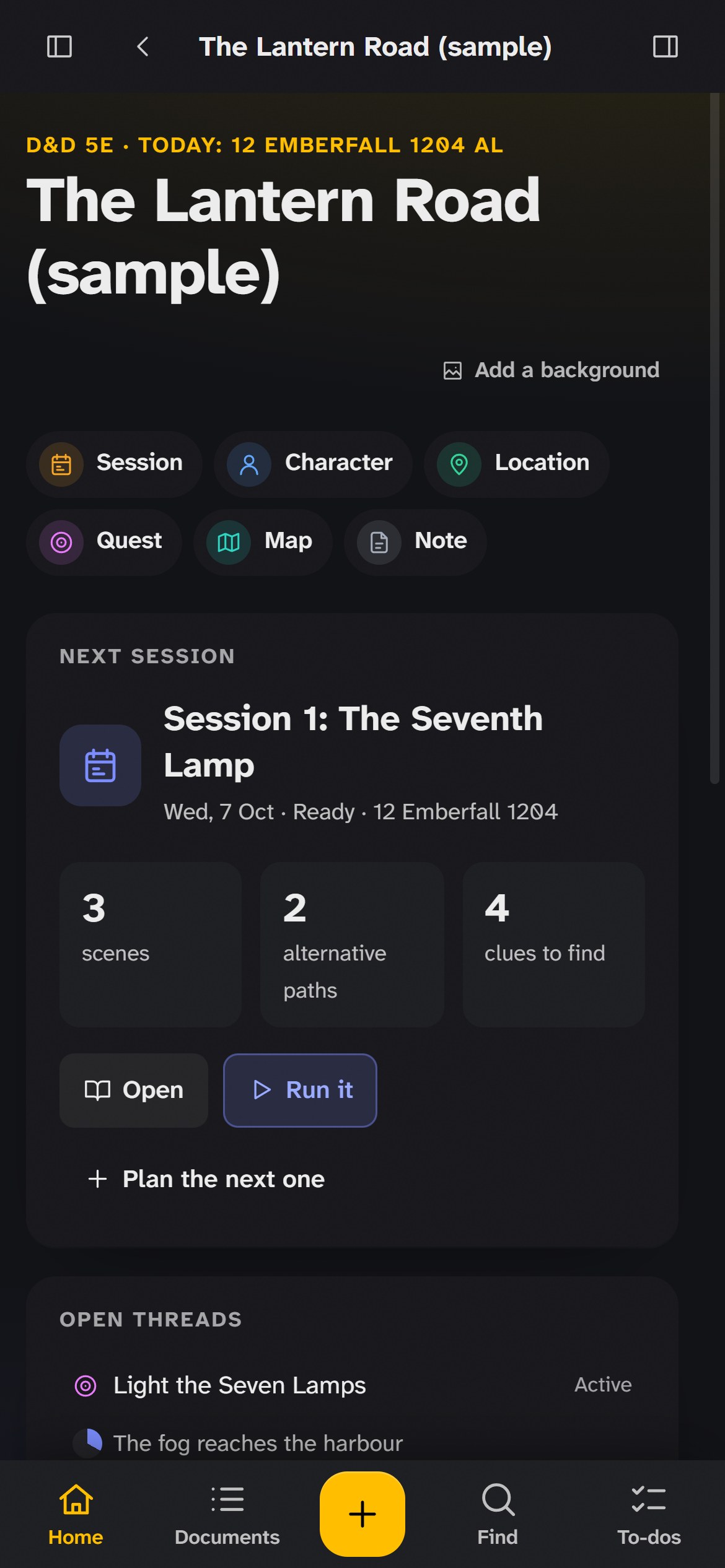
Your notebook on a phone or tablet.
Critter Notes also runs in a browser at notes.crittervtt.com. On a phone it works like an app: sections along the bottom, sheets that slide up, and the gestures you know from your iPhone.
- Like an app on iPhone and iPad: add it to your Home Screen from Safari’s Share menu (how), and it opens full screen, even offline.
- Gestures swipe from the edge for the sidebar, down to close a sheet, along a row to delete it, pinch to zoom maps and boards, and hold for a menu. Every gesture has a button too.
- Kept in your browser on your device, nothing uploaded. Download a backup of everything in one file whenever you like.
- On a tablet the sidebar sits beside the page, as on a computer.
One campaign, on every device you own.
Link a campaign on your computer to your phone, tablet or a browser, and it stays in step both ways: what you add, change or delete on one, the others do too. On the same Wi-Fi, the phone finds the computer by itself.
- Nothing stored online every device keeps the whole campaign. The devices talk to each other directly, inside your home network when they share one.
- Encrypted with a key only your devices have. Where a network won’t let them talk directly, the Homebase passes their messages along without being able to read them.
- You approve it both screens show the same four digits, and nothing is shared until you press Yes, link it on the computer.
- Nothing lost changed on two devices while they were apart, the newer version wins and the other waits in the trash. A sync check compares everything and repairs what differs.

The little things that help.
Undo and the trash
Undo anything from anywhere; deleted pages wait 30 days in the trash, on every linked device.
Updates itself
New versions install from inside the app, with what changed.
A visual editor
Write like in a word processor; it’s kept as plain Markdown underneath.
Boards and mind maps
Cards and arrows for plans and plots.
Calendar and timeline
Your world’s calendar, with events on a timeline.
Random tables and encounters
Roll on your own tables, and build encounters from the compendium.
Your files
Campaigns are plain files on your computer, easy to back up.
Focus mode
Hide everything but the page, with a reading size and font of your own.
Three apps, one table.
Critter Notes sends what you prepared to Critter VTT, the table, and cues the music in Critter Sounds. All three connect through the same Homebase.

The free virtual tabletop: battle maps, 3D dice and sheets, in a browser or on Windows.
Take a look →
Music, sound pads and soundscapes, played live to your table, Discord or Fluxer.
Take a look →Plan sessions, write the world, draw maps and boards, and send it all to the table.
You’re hereGet Critter Notes.
For game masters. Your campaigns stay on your computer as plain files, and the app updates itself.
Plays with Critter VTT
The virtual tabletop your notes go to: free, in a browser or on Windows.
The installer isn’t code-signed yet, so Windows SmartScreen may warn the first time: choose More info › Run anyway. Every version and what changed is on the Releases page.
Put Critter Notes on your home screen.
There’s nothing to download from the App Store. Safari adds Critter Notes to your home screen, and it opens full screen with its own icon, like an app, even without a connection. It updates by itself whenever Critter Notes does.
1. Open it in Safari
On your iPhone or iPad, open notes.crittervtt.com.
2. Tap Share
The square with the arrow, at the bottom of Safari (on an iPad, at the top). Then scroll down a little.
3. Add to Home Screen
Leave Open as Web App on, then tap Add. Critter Notes is now on your home screen.
Your campaign from the computer: on the computer, open Settings › Your devices › Link a device; on the phone, choose Link to my computer. On Android, the same works in Chrome.